

Nobody with a useful AI setup built it by collecting tools. They built it by understanding their work well enough to know which problems were worth solving first.
That distinction tends to separate people who consistently get value from AI from those who cycle through subscriptions, find nothing quite works the way they expected, and conclude the tools are overhyped. The tools often aren’t the problem. The sequence is.
Building a personal AI toolkit is fundamentally a workflow design exercise. The tools are almost secondary.
Start With the Work, Not the Tools
Before installing anything, map what you actually produce and where production consistently slows down or degrades in quality. Not in abstract terms. Specifically.
A freelance copywriter and a newsletter operator both need writing assistance, but they don’t need the same tools or the same configuration. The copywriter typically benefits from AI support during research and early drafts, then edits manually to preserve voice. The newsletter operator might want a research aggregator that pulls from multiple sources, feeds into a drafting tool, and exports to a publishing platform with minimal manual steps between. These are different systems even when they share some underlying tools.
AI productivity tools are rarely all-purpose in practice, even when they’re marketed that way. They’re optimized for specific tasks, output types, and use cases. Knowing which jobs need doing first makes it considerably easier to evaluate whether any given tool is genuinely suited for the task rather than just technically capable of attempting it.
For AI beginners especially, skipping this step creates a pattern that’s hard to break: you download a tool, run it through the tasks that come to mind, conclude it’s useful or not, and move on. You never identify whether you had the right tool for your actual use case, or just the most obvious one for a generic one.
Where the Thinking Usually Goes Wrong
The most persistent misconception is that generative AI tools doing similar things are interchangeable. Using the wrong tool for a specific task often creates a different problem than the one you started with.
Two writing assistants can produce notably different results on the same prompt. One might handle long-form analytical content well but produce flat, generic output on structured deliverables like product descriptions or client-facing emails. Another might generate clean outlines but prose that requires heavy editing before it’s usable. Neither is categorically better. They’re differently suited, and that distinction only becomes clear through sustained use, not a three-day free trial.
Automation tends to be the other miscalibrated area. Freelancers and small business owners frequently assume workflow automation belongs to developers or larger operations with technical support. In practice, simple automations are where AI delivers its most consistent leverage for independent professionals: routing inbound emails through a summarizer before they reach your inbox, generating a project brief from a client intake form, or compiling weekly task data from multiple apps into a readable summary. None of these require code. Most take under an hour to configure and recover several hours each week.
The third misconception, particularly relevant for anyone exploring how to make money with AI tools, is that the tools generate income directly. They don’t. They reduce the time and cost of producing work, which improves margins and creates capacity for more of it. The income still comes from the work. When someone says a tool “pays for itself,” that claim is only meaningful if you can trace it to actual time recovered or output volume increased.
Mapping Your AI Stack by Function
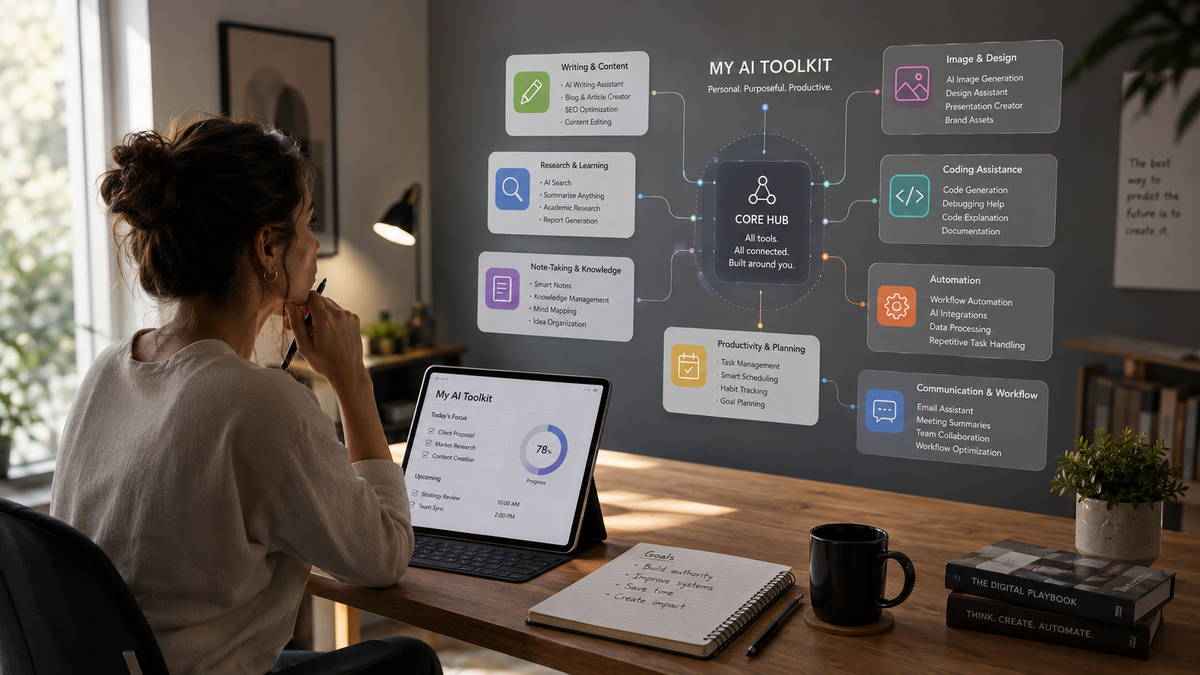
A practical personal AI toolkit usually spans three to five functional layers. You don’t need tools in all of them, but understanding what each layer does helps you identify where your actual gaps are.
Writing and Communication
Writing assistants are typically the first point of contact for anyone building an AI toolkit, and that’s a reasonable place to start. These tools handle drafting, editing, restructuring, and summarizing consistently enough to reduce the time cost of written work. The limitation that tends to get underestimated is the editing requirement. AI-written content needs meaningful revision to carry a distinct voice, and that editing step takes longer than most users anticipate during a trial. Freelance writers who use these tools effectively tend to describe a workflow where AI handles structure and initial drafts while final editing remains manual. That’s an accurate reflection of how they perform under real working conditions.
Research and Information Processing
Tools like Perplexity AI and Google NotebookLM occupy a different category entirely. Their primary function is information compression: surfacing relevant sources, distilling long documents, and generating structured summaries from unorganized inputs. For anyone who regularly processes competitor research, client-supplied documents, or dense industry reports, this layer can reduce hours of reading to a manageable review cycle. The honest limitation is accuracy. These tools can present outdated or incomplete information with the same surface confidence as verified facts. Human verification remains a requirement, not an option.
Visual and Creative Asset Generation
Image generation platforms have become practically useful for content creators and solopreneurs who need visual assets at volume: social content, thumbnails, mockups, and concept work. Midjourney, Adobe Firefly, and similar tools don’t replace professional design at a high-production level, and for brand-critical visual work, that ceiling still matters. But for a freelancer who needs twelve usable social images in two hours rather than two days, the utility is real and the cost-per-asset math typically works. One skill most users underinvest in: prompt refinement. It functions more like creative direction than technical instruction, and it takes time to develop. Skipping that learning curve produces generic output regardless of which tool you use.
Automation and Workflow Orchestration
Connecting tools is what turns a collection of subscriptions into a functioning system. Platforms like Make and Zapier let you link apps and trigger AI-powered actions based on real events in your workflow. A client message arrives and a draft response is generated. A contract is signed and an onboarding document is created and filed. A week ends and a digest compiling activity across multiple tools lands in your inbox without manual assembly.
For AI freelance tools to deliver compounding value rather than situational convenience, this layer is often what makes the difference. Individual tools save individual minutes. Connected tools shift how you allocate hours across the week.
Niche and Domain-Specific Tools
These earn a place only when general-purpose tools fall consistently short for your specific context. A legal-adjacent freelancer reviewing contracts has different requirements than a content creator producing video scripts. A digital marketer running paid campaigns works differently than a small business owner managing vendor relationships. If you find yourself routinely working around the same limitation in the same scenario, that’s the signal to explore whether a purpose-built tool handles it better. Otherwise, general-purpose tools tend to be the more cost-efficient choice and easier to maintain as the underlying technology updates.
The Smarter Approach: Integration Compounds What Volume Doesn’t
Individual tools reduce friction in discrete moments. Connected tools remove friction categories.
When two tools share context through an automation, the value isn’t just additive. A client intake form that automatically creates a project brief, populates a task list, and drafts a welcome email doesn’t eliminate one task. It removes a sequence of tasks that typically happen across three separate applications with manual effort bridging each transition. That’s a different order of efficiency than using a writing assistant to draft one email faster.
For solopreneurs and freelancers, this is the model that scales without requiring proportional time investment. Adding clients doesn’t require proportionally more administrative work if the intake and communication workflow is already structured. Publishing more content doesn’t require more hours if the draft-to-publish pipeline is connected. The infrastructure absorbs volume growth that would otherwise require hiring support.
The practical starting point: identify two tools you already use daily and ask whether they can share a trigger or output through a simple automation. In most cases, they can. The build typically takes less time than the evaluation of whether it’s worth doing.
A Realistic Build Sequence
The most durable approach is incremental. Start with one tool that addresses your most frequent bottleneck, use it consistently for three to four weeks, then evaluate what gaps remain before adding anything new. That’s slower than downloading six tools over a weekend. It’s also why most people who take the weekend approach end up with six tools they barely use.
A reasonable starting point for someone building their first AI toolkit: one writing assistant for drafts and client communication, one automation connecting at least two apps you already rely on daily, and one research or document tool if reading and synthesizing information is a recurring part of your work. Three tools, matched to specific jobs, used long enough to understand their actual behavior under working conditions rather than demo conditions.
AI tools behave differently in extended use than they do in trials. Their real limitations typically surface around week three, not day one. The discipline of maintaining a small, deliberate stack long enough to form accurate opinions about it is what separates a working system from a collection of half-explored subscriptions.
Cost discipline matters here too. Many tools offer capable free tiers that are sufficient for testing. Locking into annual subscriptions before confirming a tool fits your actual workflow is a pattern worth resisting, especially when the generative AI tool landscape changes quickly enough that a better-suited option may emerge within months.
The Case for a Smaller Stack
A useful AI toolkit is a working hypothesis about your workflow, not a finished product. The tools that make sense in month one often look different by month six, not because the tools themselves changed, but because your understanding of what your work actually requires has sharpened through use.
Before purchasing anything, audit one week of real work. Identify tasks that are repetitive, low-judgment, or consistently slow relative to their output value. Map tools to those specific jobs. Build one connection between two tools if there’s a clear opportunity. Then leave the system alone long enough to measure whether it actually changes your output quality or your available capacity.
The professionals getting consistent value from AI are almost always working with smaller, more deliberate stacks rather than the broadest possible collection of subscriptions. That pattern holds whether they’re freelancers managing client work, content creators publishing at volume, or small business owners trying to reduce the time they spend on operational overhead.
The goal isn’t an impressive toolkit. It’s a functional one.
Learn more about How to Build a One-Person AI-Powered Business in 2026, How to Start Making Money With AI Tools & How to Start Freelancing with AI Tools in 2026