
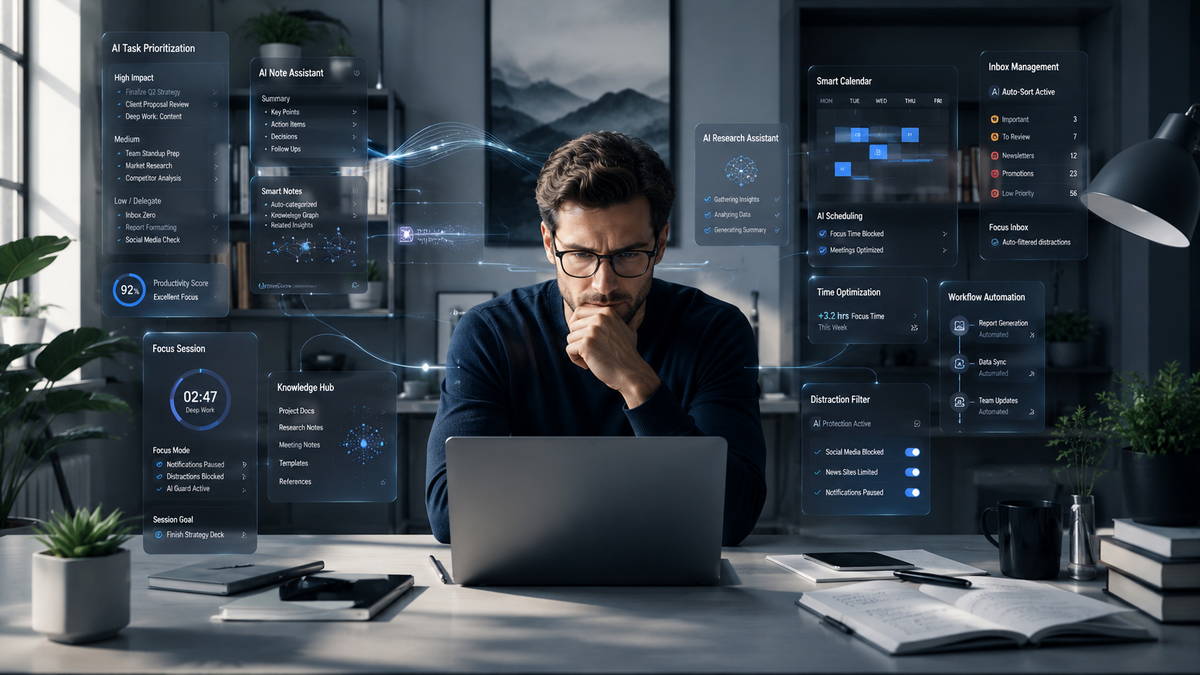

Knowledge workers lose an average of three productive hours daily to fragmented attention. In competitive freelance and creator markets, this gap determines who advances and who stays stuck in reactive mode. AI tools have matured beyond simple timers and blockers. They now anticipate disruptions, adapt to personal energy patterns, and orchestrate entire focus systems. The real advantage lies in building a deliberate stack rather than collecting individual apps.
How AI Has Shifted Deep Work in Practice
Deep work still requires undistracted concentration on cognitively demanding tasks. What has changed is the support layer. AI now handles scheduling defense, environmental optimization, and cognitive offloading with greater precision. For freelancers balancing client deadlines with personal digital products, this creates space for premium-rate strategy work and asset creation that compounds into passive income.
The difference shows in execution. Tools that learn individual patterns outperform rigid systems. They protect peak energy windows instead of forcing arbitrary blocks.
Calendar and Scheduling Intelligence
Reclaim.ai stands out for calendar defense. It analyzes existing commitments, habits, and priorities to automatically insert and protect focus blocks. It adapts when meetings shift rather than breaking entirely. Many users reclaim 6–8 hours weekly of previously scattered time.
Motion takes a more aggressive approach by treating the entire day as a dynamic plan. It auto-schedules tasks based on deadlines and priorities, then reshuffles as needed. This works particularly well for freelancers with variable client demands.
Choose based on needs. Reclaim layers effectively onto Google Calendar or Outlook for those who prefer lighter intervention. Motion suits users ready to hand over more daily planning.
Context-Aware Distraction Management
Basic blockers create frustration when research requires specific sites. Fomi addresses this by monitoring screen activity and using AI to distinguish productive use from drift. It asks your current goal then enforces boundaries intelligently.
Freedom remains strong for comprehensive cross-device blocking with reliable scheduling. Pairing a smart tool like Fomi with a hard blocker like Freedom creates layered protection that adapts without constant manual tweaks.
Environmental and Cognitive Support
Endel generates adaptive soundscapes that respond to time of day, weather, and biometric data when connected to wearables. Alternatives like Brain.fm emphasize science-backed functional music designed for neural focus.
These tools matter because physical environment often undermines even the best scheduling. A mismatched audio backdrop can prevent flow even with perfect calendar blocks.
For thinking support, Claude excels at sustained reasoning over long contexts, making it valuable for complex project structuring or client strategy development. NotebookLM turns personal documents into dynamic knowledge companions with summaries and audio overviews. Perplexity handles targeted research efficiently with citations.
What Most People Get Wrong
Beginners often treat these tools as magic fixes rather than system components. They stack five new apps in a week, experience initial novelty, then abandon everything when friction returns. Sustainable results require mastering a minimal viable stack for at least two months.
Many also expect AI to supply motivation. These tools protect and amplify focus capacity but cannot create the internal decision to begin difficult work. The discipline gap remains human.
Another frequent mistake involves ignoring recovery. Deep work depletes cognitive resources. Users who optimize sessions without protecting sleep, movement, or unstructured thinking time eventually burn out despite sophisticated tooling.
Strategic Insight: Orchestrate a Personal Focus System
The highest leverage comes from integration. Connect tools through simple automations so context switches disappear.
A practical example for a freelance strategist:
- Reclaim.ai secures recurring deep work windows based on historical energy data.
- Session start triggers Endel or Brain.fm audio and activates a Freedom or Fomi block profile.
- Claude opens with project-specific context from NotebookLM.
- Post-session automation processes outputs into a task manager or Notion workspace.
This setup reduces decision fatigue. Over months, improved consistency leads to sharper client deliverables and faster creation of sellable digital assets like templates or guides. The positioning benefit is clear: clients and audiences notice reliable depth and speed.
Sarah, a European content consultant, previously delivered work in reactive bursts. After building a Reclaim + Claude + layered blocking system, she protected two weekly deep strategy mornings. Within four months she increased rates by 25% and launched a small Gumroad library of AI productivity resources. Her advantage stemmed from protected high-quality output rather than longer hours.
Monetization Pathways
Freelancers can package focus expertise directly. Offer “AI Focus System Audits” that analyze client workflows, recommend tailored stacks, and implement basic automations. This service delivers measurable ROI through reclaimed time.
Create digital products around your refined processes: Notion templates with embedded prompts, focus system guides, or mini-courses on tool orchestration. Use gained capacity to produce these assets more efficiently, creating diversified income streams beyond hourly client work.
Limitations and Realistic Considerations
AI assistance can subtly erode raw thinking skills if overused for core creative work. Generative tools sometimes produce generic framing that requires human refinement for premium positioning. Privacy remains a valid concern with screen-monitoring tools—evaluate data handling carefully for client-sensitive projects.
Subscription costs accumulate. A realistic assessment: if a $15–25 monthly tool reliably adds two focused hours weekly at your current rate, it pays for itself quickly. Track actual impact rather than assuming automatic gains.
One Realistic Warning: Tool optimization can become procrastination in disguise. Set a firm boundary—no new additions until your current system proves consistent results over 30 days. The technology supports focus. Execution discipline determines outcomes.
Implementation for Beginners
Begin with infrastructure.
Weeks 1–2: Deploy one calendar protector and basic distraction controls. Manually track deep work hours to establish baseline data.
Weeks 3–4: Add environmental audio and test one thinking companion on a recurring task type.
Month 2: Introduce light automations and review energy patterns weekly.
Month 3 onward: Expand to monetization experiments using freed capacity.
Expect adjustments. These tools augment but do not replace fundamentals like consistent sleep and physical health.
Find out more about How to Build an AI-Powered Productivity System That Actually Works & How to Use AI + Notion for Task Management