


The fortieth “where’s my order” email arrives. A teammate pings about covering support solo, again. Most small teams reach the same conclusion at roughly the same moment: the inbox has outgrown the team. Hiring another support person isn’t in the budget yet. Self-service was always the plan; it just never felt urgent enough to build.
AI agents for customer support exist to close that gap. They don’t replace a support function that doesn’t exist yet. Instead, they absorb the repetitive share of tickets: order status, password resets, return policies, “how do I…” questions. That frees up whoever handles email to focus on what actually needs judgment.
Setting one up doesn’t require a technical background. That makes it a realistic project for AI beginners, not just teams with a dedicated ops person. Getting it right comes down to a handful of decisions most feature-list guides skip past. Those decisions are what this guide covers.
What “AI Agent” Actually Means in a Support Inbox
A chatbot follows a script: type X, get response Y. An AI agent works differently. Built on generative AI models, it reads the actual question and checks a knowledge base or connected system. Then it generates an answer, or takes an action such as issuing a refund, within limits set ahead of time.
That distinction changes what’s being configured. A chatbot needs a decision tree. An AI agent needs a knowledge source and defined permissions. It also needs clear rules for when to hand off to a person. Most of the setup work here comes down to that last piece.
The ceiling is worth naming early. AI agents execute defined actions reliably. What they can’t do is judge when a rule shouldn’t apply to a specific case. A return outside the policy window because of a documented shipping delay is a good example. That still needs a person. Confusing “handles most tickets well” with “can be left unsupervised” is where a lot of setups go wrong later.
Where Small Teams Get This Setup Wrong
The tools rarely cause the problem. Several platforms handle this well: Fin (Intercom), Zendesk AI Agents, Tidio’s Lyro AI, and Freddy AI. Freddy is Freshworks’ AI, built into Freshdesk rather than owned by it. All four can resolve a meaningful share of routine tickets out of the box. What derails small teams is how the automation gets introduced into a live support flow.
The most common failure: treating setup as a software install instead of a knowledge project. An AI agent is only as good as what it’s allowed to read. Point it at an outdated help center or inconsistent past replies, and the result sounds confident while being wrong. That damages trust more than a slow reply ever would.
Escalation design gets skipped almost as often. A team turns the agent on and watches it handle easy tickets well during testing. Then they assume it will recognize when a question is out of its depth. It won’t, unless the rules are explicit. Spell out which topics route to a person and which phrases (refund dispute, legal, cancel my account) trigger immediate escalation. Then decide what the customer actually sees during that handoff.
Channel scope causes a third recurring problem. New adopters flip on email, live chat, and social DMs the same week they turn on AI. Then they can’t tell which channel is driving errors when something goes wrong. Proving the agent on one channel first takes longer, but it’s far easier to debug.
Building Your First AI Support Agent
None of this needs a developer. Most platforms in this category are built for non-technical setup, which is why a lean team can handle it in a week or two. Order matters more than any single step here: skipping ahead to platform selection before doing this groundwork usually means rebuilding the setup a month later.
Start With the Job, Not the Tool
Write down the five to ten ticket types eating the most time each week, before comparing platforms. For most small teams that’s order status, account access, shipping and returns, and product how-to questions. The mix shifts by business, though. A three-person online store spends most of its time on shipping delays. A solo SaaS founder spends it on billing and login issues instead. This list becomes the actual spec. It shows what the agent needs to handle now, and what it should leave alone for later.
Feed It a Narrow, Clean Knowledge Base
Resist the urge to connect every document the business owns. Start with help center articles, the return policy, and a short internal doc covering edge cases and tone. A smaller, accurate knowledge base beats a large, messy one almost every time. This is the step teams most underinvest in.
Worth checking whether that documentation exists at all before evaluating platforms. If the return policy has only ever lived in a few people’s heads, that’s the real problem. Solve that first. No AI agent can answer a question from information that was never written down.
Design the Handoff Before You Design the Bot
Decide, in writing, what counts as a clean resolution versus what needs a person. Most platforms allow confidence thresholds and keyword triggers for escalation; set them conservatively at first. A common default: escalate any ticket involving money outside a standard refund flow (chargebacks, partial refunds, price matching) automatically. Do this regardless of confidence score. Loosening the reins later is far easier than the alternative. Repairing the damage from an agent that answered a billing dispute confidently, and got it wrong, is much harder.
Test on the Worst Tickets, Not the Best Ones
Run the agent against the messiest, most ambiguous real tickets from the last month before it goes live. Sample support requests always test better than reality does. If it handles the oddly phrased, mildly annoyed, half-coherent messages reasonably well, it’s ready for a soft launch.
Picking a Platform That Fits a Small Team
There’s no single best option. The right platform mostly depends on where the tickets already live.
- Teams already on Freshdesk or Zendesk get the fastest setup by turning on Freddy AI or Zendesk AI Agents. That beats migrating platforms, since the automation layer sits directly on top of workflows that already exist.
- Solo founders and very small teams often start with Tidio’s Lyro AI or Help Scout, both built around lighter setup and lower cost.
- Online stores tend to do better with Gorgias, which ties support directly into order and shipping data instead of treating it as a separate system.
- Teams that want the most capable end-to-end resolution, and are willing to pay for it, look at Fin, Intercom’s AI agent, which handles a wider range of actions autonomously.
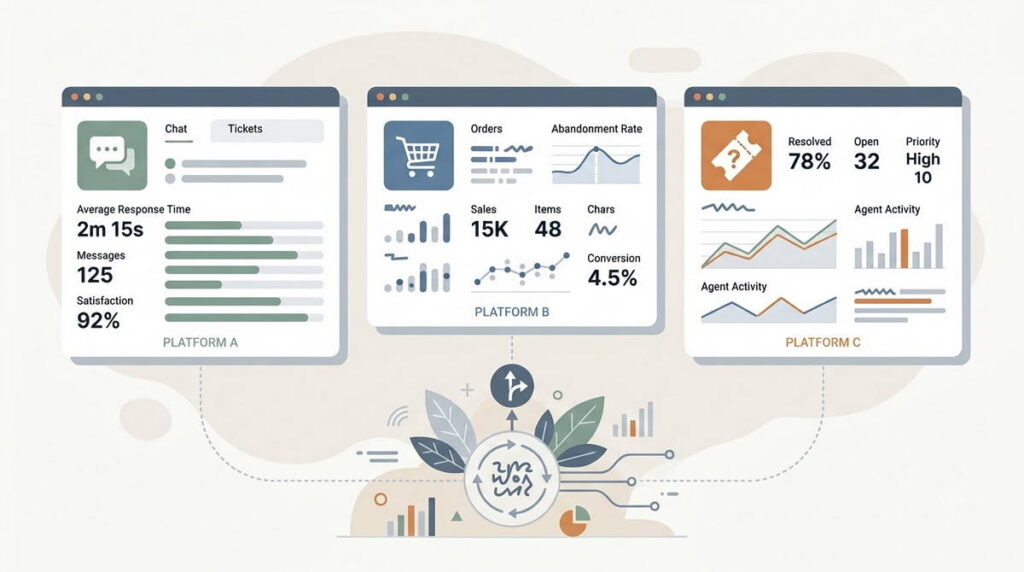
None of these are set-and-forget. Every platform here needs a person reviewing a sample of AI-handled conversations weekly, at least for the first couple of months.
That upkeep is also why this setup isn’t worth doing for every team. A business fielding a few dozen messages a week can often clear them by hand faster than it would take to build a knowledge base and tune escalation rules. The break-even point tends to land somewhere past a hundred repetitive tickets a month.
The Trade-off Nobody Puts in the Marketing Copy
The pitch for AI agents in customer support almost always frames it as a coverage problem: more tickets handled, faster, without adding headcount. That part is real, but the harder trade-off sits between coverage and trust.
Every ticket the agent resolves without a human touch is a small bet that the answer was correct and matched how the business wants to be represented. Generative AI models are fluent even when they’re wrong, and a confident wrong answer damages trust more than a slow, honest one. Escalation rules and review cadence belong in the product plan, not bolted on after launch.
Vendor marketing tends to advertise resolution rates from a mature, well-tuned setup, not week one, so it pays to discount those numbers going in. Most small teams see AI agents reliably resolve a meaningful share of routine tickets after a few weeks of tuning, not everything and not immediately.
A quieter trade-off is worth planning for too: voice. An AI agent trained mostly on policy documents tends to sound like policy documents, correct but stiff, in a way that doesn’t match how a small, personal brand talks to customers elsewhere. Feeding the knowledge base a handful of past replies that sound like the business, not just the rules it follows, closes that gap fast.
One category worth carving out entirely: anything involving safety, health, legal exposure, or a genuinely upset customer. A well-tuned agent still shouldn’t handle those, regardless of confidence score. Building that carve-out into the escalation rules from day one is cheaper than fixing it after a bad interaction.
What This Means If You’re a Freelancer or Solopreneur
This setup work matters to freelancers and solopreneurs in two ways. The obvious one: running support through an AI agent is one of the more practical AI productivity tools available today. It helps someone juggling client work, sales, and their own inbox without a team behind them. It buys back hours that would otherwise go to repetitive replies.
The less obvious one: setting them up has become an approachable way to make money with AI tools. No product from scratch required. Small business owners often know they need this. What they lack is time to configure knowledge bases and escalation rules themselves. That’s why they’re increasingly willing to pay someone else to do it. For freelancers already building out a stack of AI freelance tools, that’s a real service line. It won’t replace a full-time income on its own. But it is a genuine, in-demand skill, and most small businesses haven’t set it up correctly by themselves.
This space also moves fast. Platforms update their AI features every few months, and a solid setup today can look dated within a year. Freelancers taking this on should treat it as ongoing maintenance, billed accordingly, not a one-time project.
Your First 30 Days: A Realistic Rollout
A phased rollout beats flipping the switch on everything at once.
- Week 1: Audit the last 100 support tickets, group them by type, and identify the top five repetitive categories. Clean up help center and policy pages before connecting anything to the AI agent.
- Week 2: Configure the agent for one channel and a narrow set of ticket types. Set escalation rules conservatively. Run it in shadow mode if the platform supports it, so it drafts answers a human still approves before sending.
- Week 3: Go live on that narrow scope. Review a sample of resolved conversations daily while trust in the pattern is still being built.
- Week 4: Expand ticket types or channels based on what’s actually working, and move review to a weekly cadence.
By day 30, the aim is narrower than full automation: a working agent handling a defined slice of tickets reliably, with a review process built to catch its mistakes before customers do.
AI agents for customer support work best as reinforcement for a process that already exists in rough outline, not as a fix for having no process at all. Teams that treat setup as a knowledge and escalation problem, not a software install, tend to get most of the benefit with the least risk. The ones that skip straight to “turn it on and see” usually end up doing this same work later anyway, after a few avoidable mistakes.
Also read How to Build Your First AI Agent Workflow (No-Code, Step by Step), What Is an AI Agent? A Beginner’s Guide, Multi-Agent AI Systems Explained: Why Everyone’s Talking About Them in 2026, & AI Tools for Small Business Owners: What Actually Works and What’s Just Noise