
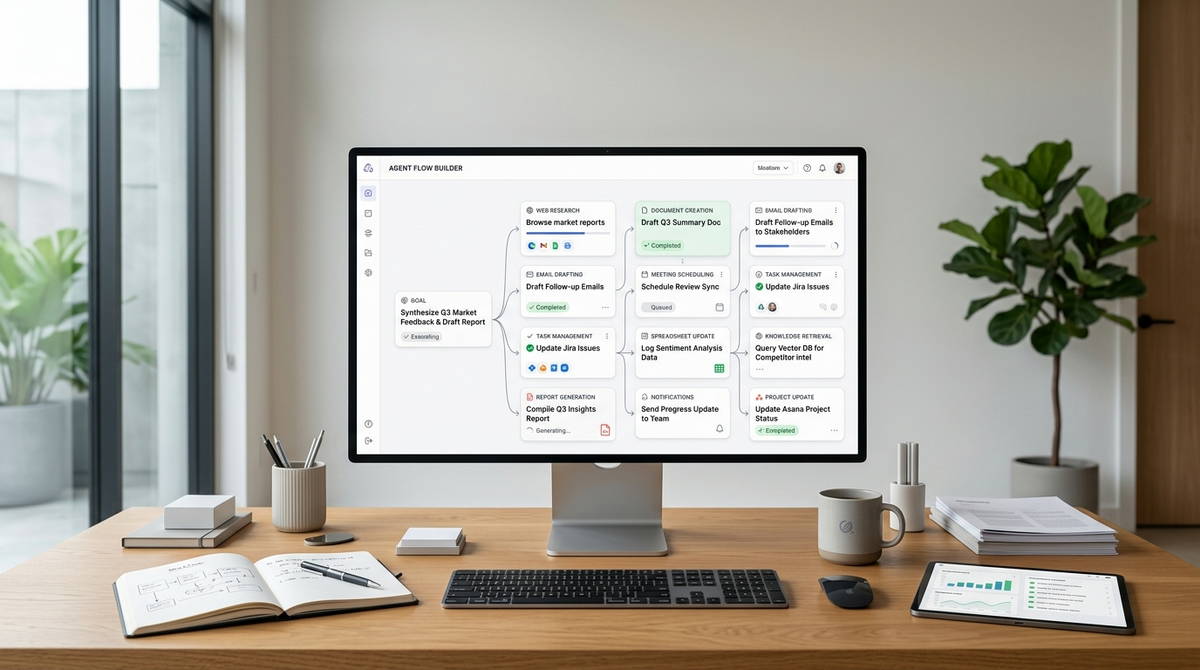

First attempts at building an AI agent rarely fail because the technology is too advanced. They fail because the builder never mapped out the decision they were trying to automate in the first place. The software is the easy part now. Knowing exactly what you want the AI to decide, and when it should stop and hand control back to a person, is what actually determines whether the thing works.
That’s the real subject of this guide: not which platform has the nicest interface, but how to take a task you already do by hand and turn it into a workflow a generative AI model can run without your constant supervision, using nothing but no-code tools. It’s written for AI beginners who want a working result by the end, not a longer explanation of what an agent is.
What an AI Agent Workflow Actually Is
An AI agent workflow has three moving parts: something that starts it, a model that decides what to do next, and a set of actions that carry out that decision automatically.
That’s a genuine step up from a standard automation, not just a rebrand of the same idea. A basic “if this, then that” flow in a tool like Zapier follows the same fixed path every time it runs, no matter what comes through. An agent workflow adds a judgment call in the middle: the AI reads whatever arrives, weighs it against your instructions, and chooses between different outcomes depending on what it finds. You’re not automating a task anymore. You’re delegating a decision, inside boundaries you define upfront.
For a beginner, that distinction changes what you’re actually testing for. You’re no longer just confirming the automation fired. You’re confirming the AI’s judgment held up once the input stopped being clean, which it almost always does.
The Mistake That Stalls Most First Attempts
Scope is where most first builds go wrong, not the model and not the platform.
New builders often design their first workflow around an entire job function: “handle my customer emails,” “manage my content pipeline.” That scope is too big to debug reliably. A workflow with that many possible branches becomes almost impossible to troubleshoot, because when it produces a bad result, there’s no clean way to isolate which piece of logic caused it.
A second, quieter mistake follows from the first: skipping the manual version of the task before automating it. If you can’t walk through, step by step, how you currently decide which emails matter or what tone a reply should take, the AI has nothing solid to imitate. Vague instructions produce agents that guess, and guessing at scale is worse than doing the task by hand.
A more workable starting point is one recurring task that takes ten to twenty minutes and follows a pattern simple enough to explain in five sentences to someone new: sorting inbound leads by intent, drafting first-pass replies to the same three or four support questions, or pulling new form submissions into a shared tracker. Small and low-stakes, on purpose. For a freelancer or a two-person team, proving the concept here is worth more than a dramatic, department-wide rollout nobody has the bandwidth to maintain.
Choosing Your No-Code Stack
Three components make up nearly every no-code agent workflow, and the tools below tend to specialize in one or two of them rather than all three equally.
Zapier remains the fastest on-ramp if you’re already living inside its app ecosystem. It rebranded itself around AI orchestration in 2025, adding Copilot for building workflows in plain language, a dedicated Agents product, and broader access for outside AI tools to reach into its action library. The trade-off is pricing: Zapier bills per task, and every step in a workflow counts as one, so a multi-step agent running a few hundred times a month can burn through a plan’s allowance faster than beginners expect.
Make trades some of that simplicity for a visual canvas that makes complex, branching logic easier to see at a glance. It’s added a conversational builder and its own AI agent feature, though both are newer additions and less battle-tested than the core automation engine underneath them.
n8n rewards the people willing to spend a weekend learning it. Recent versions lean further into AI-native building, with a growing library of AI-specific nodes and deeper support for chaining multiple models and tools inside one flow. Self-hosting is on the table too, which matters if data control is a real concern rather than a nice-to-have.
Gumloop has built a reputation as the easiest on-ramp for a first agent, largely thanks to built-in model credits and native triggers that cut setup time down to minutes. Lindy leans further into plain-language building and prebuilt templates, aimed at non-technical users who want something running fast without touching a visual canvas at all.
None of these is objectively correct. Pick based on what you already use day to day, not what’s trending in a comparison post.
Step by Step: Building the Workflow
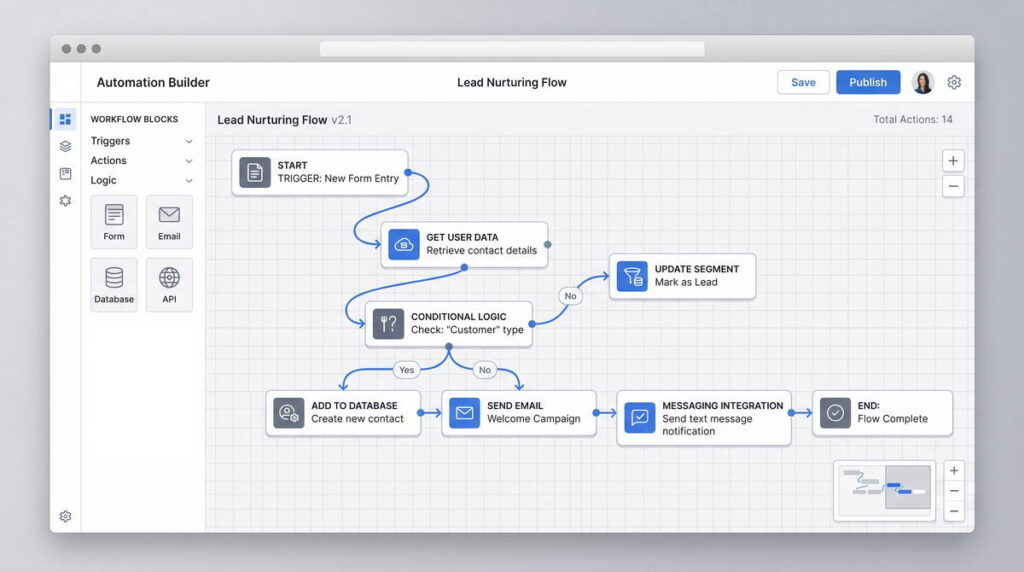
Define the trigger
Decide exactly what starts the workflow: a new form submission, an incoming email, a row added to a spreadsheet, a scheduled time. “When something important comes in” isn’t a trigger. “When a new email lands in the Support label” is.
Write the decision logic before touching any platform
This becomes your prompt, and it deserves more of your time than any other step in the process. Describe what the AI needs to see, what the possible outcomes are, and what it should do when the input doesn’t match anything you anticipated. A rushed prompt is the single most common reason an agent technically runs but still produces unreliable output.
Wire the AI step into your platform
Once the logic is written down, this part is mostly mechanical. Drop the AI action into your builder, paste in your instructions, map the incoming data fields, and specify the format you want back, plain text, a category label, or structured data if it’s feeding into another step.
Add a routing step
This is the part beginners skip most often, and it’s what actually separates an agent workflow from a script. Based on what the AI decides, send the process down different paths: auto-send a reply, flag it for a human, log it and stop. Generative AI models are pattern-matchers first. They don’t reliably know when they’ve stepped outside the pattern, which is exactly why this step, not the prompt, is where your safety net belongs. Anything the AI is uncertain about should default to human review until the workflow has a track record.
Send the output somewhere useful
A Slack channel, a CRM field, a drafted (not sent) email. For a first build, avoid fully automating anything customer-facing. Draft mode gives you a chance to catch a bad output before it reaches anyone outside your team.
Test with real, messy data
Pull ten actual past emails or ten real form submissions, the kind with typos, half-finished sentences, and edge cases you’d forgotten existed. That messiness is exactly what will break your workflow, and it’s better to find out now than after it’s running unsupervised.
Where This Breaks Down
No-code agent workflows are genuinely useful within a narrow lane, and it’s worth being honest about where that lane ends.
They struggle with tasks that require holding context across many steps. Long research chains or multi-day processes tend to lose coherence without more structure than a visual builder easily provides. They’re also only as reliable as the data feeding them: an agent summarizing form responses works fine, but one making judgment calls on incomplete or contradictory information will produce incomplete or contradictory answers.
Cost catches beginners off guard more often than expected, particularly on platforms that bill by task or by AI action rather than a flat monthly rate. A workflow running a few hundred times a day can get expensive fast if it isn’t scoped tightly from the start. Error handling is improving across these platforms but still requires manual thinking through failure states. Most tools won’t warn you before something goes wrong, only after.
The Real Skill Isn’t the Software
Prompting and platform navigation are both learnable in an afternoon. The skill that actually separates a working agent from a broken one is process thinking: breaking a task into a sequence of decisions clear enough that something else can execute them consistently.
The uncomfortable truth is that most failed agent workflows were never really an AI problem. They were a documentation problem wearing an AI costume.
That’s part of why people with operations, project management, or customer support backgrounds often build better first agents than people with technical backgrounds do. They’re used to writing process down. A developer might produce a more elegant automation, but an ops-minded builder is more likely to spot the edge case that quietly breaks it three weeks later.
It’s also why this skill travels well into freelance work. Businesses generally don’t need someone who can write a clever prompt. They need someone who can look at a messy internal process and turn it into a workflow that holds up under real use. For freelancers, this cluster of no-code AI freelance tools is becoming a legitimate service offering rather than just a personal productivity boost, and it’s one of the more realistic ways to make money with AI tools without becoming a developer first. Freelance writers, for instance, often apply the same logic to their own operations: AI handles the outline or a first pass at research, and the human keeps final editing and judgment calls in-house.
Where to Start This Week
Pick one task you currently do in under twenty minutes. Build the workflow, then run it in parallel with your manual process for a week before trusting it unsupervised. Compare outputs side by side rather than assuming it worked just because nothing crashed.
Don’t chain multiple agents together on a first attempt. That’s a second-project problem. Keep a running note of every case where the output surprised you, in either direction. That log becomes more useful raw material for your next, more ambitious workflow than any tutorial, including this one. For a solopreneur running the whole operation alone, even one small workflow like this can reclaim real time each week without needing anyone else’s approval to ship it.
The platforms themselves will keep shifting, task pricing, beta features, node counts, whatever comes next. The skill that carries over regardless is turning a fuzzy task into a process clear enough that something else can run it. That part doesn’t expire with the next product update.
Also check What Is an AI Agent? A Beginner’s Guide, How I Use AI Agents to Run My Week, AI Automation for Beginners: How to Stop Wasting Hours on Repetitive Tasks & AI Agents for Customer Support: Setup Guide for Small Teams