


A freelancer’s week rarely gets eaten by client work alone. Meeting notes pile up unwritten. A routine email reply sits in drafts for two days because nobody has time to personalize it. A graphic gets resized for the fifth platform this month, by hand, again. None of this is complicated work. It’s just constant, and it eats hours that should go toward billable work, or toward getting home on time.
Fixing it doesn’t take a three-month automation project. It takes picking one task, pointing a generative AI tool at it, and checking the output before it ships. The ten tasks below are real jobs. A freelancer, a two-person agency, or a solo consultant can hand off any of them this week. The tools already run in a browser tab. None require coding experience, just an account and a card on file. Where a tool falls short, that limitation sits next to what it does well. “Automate everything” advice tends to skip the part where the output still needs a second set of eyes. Realistically, it won’t hand back a full week, just a handful of hours. What happens next is the part worth thinking about.
Clearing the Communication Backlog First
These four tools need almost no setup. That’s why they’re the fastest wins on the list.
1. Meeting notes that write themselves
Otter.ai sits in on a call, transcribes it, and hands back a summary with action items already pulled out. That removes the choice between listening carefully and taking notes at the same time. The free plan covers 300 minutes a month, enough for a handful of weekly calls before it runs dry. Pro lifts that to 1,200 minutes for $16.99 a month, or $8.33 if billed annually. It matters most for anyone running back-to-back client calls. Switching between listening mode and note-taking mode is the real drain, not the call itself. Accuracy drops with crosstalk, strong accents, or a bad connection, so treat the auto-summary as a draft. A ninety-second scan before it reaches a client catches most of what matters.
2. The inbox backlog nobody has time to personalize
A backlog of forty unread emails is rarely forty unique problems. It’s usually five recurring types of message wearing different names. ChatGPT Plus ($20 a month) drafts replies to routine requests, follow-ups, and scheduling emails. It gets noticeably better once it has a few of your own past replies to match tone against. The gap is context: which client is touchy about a missed deadline, which one prefers three sentences over three paragraphs. Treat every draft as a first pass, not a send button. That matters most early on, while you’re learning where it gets your voice wrong.
3. Catching typos before a client does
Typos and awkward phrasing read as carelessness to a client, even when the underlying work is solid. Grammarly catches most of them before they go out. Its Pro tier, about $12 a month billed annually or $30 month to month, adds tone detection and full-sentence rewrites. Those matter more once proposals replace casual messages. Give the tone suggestions a second look before accepting them automatically. They tend to push writing toward a flatter, more neutral register, fine for a contract but wrong for a personal voice. Grammarly improves a draft. It doesn’t replace having one.
4. Answers to the questions you get every week
Most service businesses field the same five or six questions on a loop: turnaround time, revision policy, payment terms. They’re just worded differently each time. Running those through ChatGPT builds a bank of ready answers to paste and lightly personalize. That beats retyping the same explanation from memory every time. It’s a minor task on its own. Anyone fielding cold inquiries through a contact form or a Fiverr inbox notices the difference once the boilerplate stops getting retyped.
The Bigger Time Sinks
These four tasks take longer to do by hand, sometimes a full afternoon instead of twenty minutes. That’s where AI tools show the clearest return on the subscription price.
5. Turning one article into five social posts
A 1,500-word blog post or a client report already contains three or four social posts. Someone just has to pull them out. That’s what Claude (Pro, $20 a month) handles well, since it holds the whole document in context. It can surface different angles instead of restating the same summary in shorter form. What it can’t do is sound like you without help. Left alone, AI-repurposed content tends to converge on the same flattened tone regardless of source. The model optimizes for clarity, not personality. Putting the phrasing quirks back in is the step that gets skipped most often. Those are the small details that make a post sound like a specific person, not a summary engine.
6. Social graphics without hiring a designer
Design work that used to mean hiring a freelancer or template hunting now runs inside Canva‘s Magic Studio. That includes layout generation, one-click resizing across a dozen platforms, and background removal from product photos. Pro runs $15 a month on annual billing, or about $18 month to month. The AI credit allowance is shared across every Magic Studio feature. A session spent generating ten logo variations eats into the same pool needed for next week’s Instagram grid. Set a brand kit up front. It’s the difference between output that looks intentional and output that looks like ten different people designed it.
7. Proposal decks in minutes, not an afternoon
A polished proposal deck used to mean hiring a designer or losing an afternoon to slide alignment. Gamma turns an outline or a pasted brief into a formatted deck, document, or one-page site in minutes. Plus starts around $8 to $10 a month. Pro, at roughly $18 to $20, adds custom branding and view analytics showing whether a prospect opened the link. The trade-off is visual identity. Gamma’s default layouts are recognizable enough that a design-literate client might spot the tool behind the deck. Anything client-facing is worth a pass to swap in original images first.
8. Cutting a podcast down to size
Cutting filler words, trimming dead air, and pulling short clips from a long recording eats an evening fast. Descript edits audio and video by editing the transcript instead of a timeline. Delete a sentence from the text and it disappears from the recording too. That’s a faster mental model for anyone who never learned traditional editing software. Hobbyist starts at $16 a month billed annually, $24 month to month. Watch the transcription-hour cap, not the price. A weekly podcast plus a couple of client interviews clears that allowance fast. Regular recorders usually end up on Creator, at $24 a month.
The Busywork That’s Easy to Overlook
These last few tasks aren’t about creating anything new. They’re about making sure work doesn’t quietly fall through the cracks.
9. Making apps talk to each other
Every solo business runs on a handful of tools that should update each other automatically and mostly don’t. Zapier watches for a trigger: a new form submission, a paid invoice, a booked call. Then it runs an action in another app, no manual copying required. The free plan covers 100 tasks a month; Professional starts at $19.99 a month billed annually for 750. Costs scale with volume, which is where people overbuild. A dozen small automations stacked together can quietly run up a bill nobody budgeted for. One connection to start with: an invoice gets paid. The client moves automatically to a “completed” folder, with a follow-up email scheduled for next month.
10. Competitor research without the tab-switching marathon
Scanning ten competitor websites or a stack of industry reports before a pitch is slow, repetitive reading. It rarely needs deep thought, just time. Claude can work through several sources at once and return a structured comparison instead of a pile of half-organized notes. That’s solid prep for a client strategy call or a proposal that references the competitive landscape. Treat the output as a starting point, not a finished citation. Models occasionally misattribute a detail to the wrong company when several sources look similar. A wrong fact in a client deck costs more than the twenty minutes it takes to check the numbers that matter.
Bonus: Invoicing and expense tracking that runs itself
Chasing an overdue invoice or sorting a shoebox of receipts before a tax deadline is exactly the kind of task nobody schedules time for. FreshBooks automates the parts of financial admin that don’t need judgment. Recurring invoices go out on schedule. Late-payment reminders fire without a nudge from you. Receipt scanning pulls the vendor, date, and amount off a photo instead of manual entry. Lite starts at $23 a month for up to 5 billable clients. Plus, at $43 a month, raises that to 50 clients and adds automatic expense receipt data capture along with accountant access. Worth being clear-eyed about here: this isn’t generative AI making judgment calls on your books. It’s rule-based automation and optical character recognition, closer to a well-built spreadsheet than to ChatGPT. It won’t decide whether an expense is deductible, and it won’t flag a client who’s quietly becoming a collections problem. What it reliably does is stop invoices and receipts from piling up until tax season forces the issue.
Where These Automations Usually Break Down
The failure mode isn’t the tool choice. It’s skipping the step where you decide what “done” looks like before automating toward it. Someone sets up AI-drafted email replies and doesn’t review the first ten outputs closely. Eventually one goes out with the wrong client’s name still sitting in a template field. The tool didn’t fail. Nobody set the checkpoint where a person reads the output before it leaves the building.
The second mistake is treating all ten tasks as equally urgent. Meeting notes and email drafts pay off almost immediately, because the manual version happens constantly. Competitor research pays off less often, since the underlying task might come up twice a month. Automating the rare task before the frequent one is how a week gets spent on something used twice and forgotten.
The Tool Stack That Actually Makes Sense
A pattern shows up looking back at the list. Two generalist AI assistants, ChatGPT and Claude, cover roughly half of it. The rest needed a tool built specifically for the job, a useful filter for deciding what to add next. A generalist model is the right call for anything involving language: drafting, summarizing, matching a voice. A specialized tool earns its subscription when the task needs a format a chatbot can’t natively produce. Real-time transcription, a resized graphic, a synced audio edit: none of those come from a chat window.
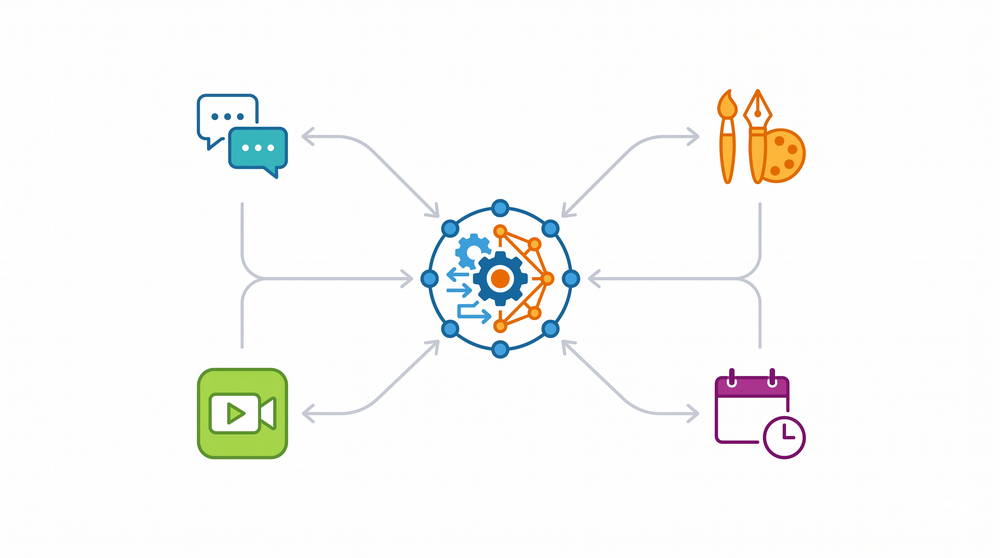
Zapier, or a similar automation platform, earns its place for a different reason. Not as its own task, but as the connective layer between the others. A meeting summary from Otter.ai might need to trigger a follow-up task elsewhere. A finished Gamma deck might need to log itself in a client folder. Without that layer, these AI productivity tools stay siloed, and someone still ends up copying information between apps by hand.
Your First Week, Mapped Out
Trying all ten tasks in one week is a reliable way to stall out before any of them stick. A steadier sequence:
- Day 1 to 2: set up Otter.ai for your next two calls, and send one ChatGPT-drafted email reply only after reading it twice.
- Day 3: run one piece of existing content through Claude for repurposing, then check whether the result sounds like your own writing.
- Day 4: build a single Canva template for your most-used graphic format. Not five, just one.
- Day 5: pick one Zapier connection between two tools already in daily use, and let it run a week before adding a second.
Paying for every tool on this list isn’t the goal. Most solo operators settle on two or three tools that cover most of the list. One more specialized tool covers whatever their work revolves around, whether that’s video, design, or client paperwork. Add the rest only when a specific task keeps costing hours that matter. Not because a list like this one lands on the number ten. Fewer tools, used consistently, beats ten subscriptions half-configured and half-remembered.
The financial admin bonus above is deliberately left off this five-day plan. It’s worth setting up whenever recurring invoices or a receipt pile actually become a problem, not as a sixth thing competing for day one.
Also check Best AI Tools for Small Business Owners on a Budget (2026 Guide), How to Use AI to Write Client Proposals and Contracts, A Realistic AI Agent Workflow for Freelancers and Solopreneurs & How to Create an AI Prompt Library That Actually Saves Time