

Somewhere in your chat history is a prompt you spent real time perfecting. It’s the one that turned messy client feedback into a clean, prioritized list of revision notes, on the first try. Two weeks later you need it again, and you can’t find it. It’s sitting in a chat thread next to a dozen unrelated conversations about invoicing and blog outlines.
That’s the actual problem an AI prompt library solves. The alternative, rewriting a prompt from memory or hunting through old conversations for it, quietly eats hours every month. Freelancers juggle five clients. Solopreneurs run content, sales, and admin through the same handful of AI productivity tools. Either way, that time adds up fast enough to matter.
Generative AI has folded into the daily workflow for a lot of freelancers, content creators, and small business owners. That means you run the same handful of tasks through a chatbot dozens of times a week. Think outreach emails, call summaries, product descriptions, or rough notes you turn into structured documents. You’ve already solved each one once, somewhere in your history. The only question is whether you can get back to that solution in ten seconds or ten minutes.
Most prompt libraries don’t survive contact with real work, though. People build them once, with enthusiasm, and abandon them within a month.
Where Prompt Libraries Break Down
The typical first attempt looks the same for almost everyone who tries this. Copy fifty prompts from a “best ChatGPT prompts” roundup into a Google Doc, feel briefly organized, and never open the doc again.
Generic prompts don’t reflect your voice, your niche, or your clients. You end up editing them so heavily that saving them barely helped in the first place. A flat list with no internal structure fares no better. Once it grows past a couple dozen entries, finding the right prompt takes longer than just writing a new one. That defeats the entire point of saving it.
The deeper issue is that people save prompts instead of saving systems. A single great output from a single clever prompt is a nice moment. But it isn’t reusable on its own. The structure behind it, the instructions, the format, the constraints, have to flex across the next ten similar tasks with minor swaps. That distinction, prompt versus system, is the difference between a library and a scrapbook.
Build It Around Your Repeated Tasks, Not a Template
Libraries that hold up are built from the inside out, starting with what you actually do every week rather than someone else’s idea of what you should be doing.
Start by tracking what you retype
For one working week, keep a running note of every time you type something into an AI tool that resembles a task you’ve done before. Client email drafts, social captions in a specific format, meeting notes turned into action items, code comments, product descriptions. Most people are surprised to find the real number sits between eight and fifteen recurring tasks, not the fifty-plus prompts they downloaded from a listicle.
A freelance copywriter’s list tends to be dominated by outline generation and headline variations. A consultant’s list skews toward meeting-note summarization and proposal drafts. The shape is different for everyone, but the size rarely is. Those recurring tasks are your actual library. Everything else is noise.
Write prompts as templates, not one-off phrasing
A prompt worth saving needs placeholders. Instead of writing a prompt around one specific client’s feedback, write it around the pattern below:
“Here is raw client feedback: [PASTE FEEDBACK]. Convert this into a numbered list of revision notes, grouped by priority, using [TONE: e.g., direct and neutral].”
The bracketed sections are what make it reusable instead of disposable. This also forces you to notice which parts of your process are genuinely repeatable and which change every time. If you find yourself rewriting 80 percent of a “saved” prompt anyway, it wasn’t a template to begin with. It was a one-time answer you happened to file away.
Group by outcome, not by AI tool
A common organizing mistake is sorting prompts by which AI tool they were written for: a ChatGPT folder, a Claude folder, a Midjourney folder. That structure feels logical at first, but it breaks down the moment you switch tools, which happens more often than most people expect as pricing and model quality shift between providers.
Sorting by outcome instead, client communication, content drafts, research summaries, code review, holds up regardless of which tool you’re using this month. Most well-written prompts translate across chatbots with only minor wording adjustments. And once a chain of two or three of them feeds reliably into each other (draft, then tighten, then format), it stops being a single prompt and starts being a small piece of automation, which is usually a good sign the underlying task was worth templating in the first place.
Where to Actually Store It
The tool matters less than whether you’ll actually open it without friction. A beautifully tagged system in an app you forget exists is worse than a plain document you use every day.
General-purpose tools: Notion, spreadsheets, and snippets
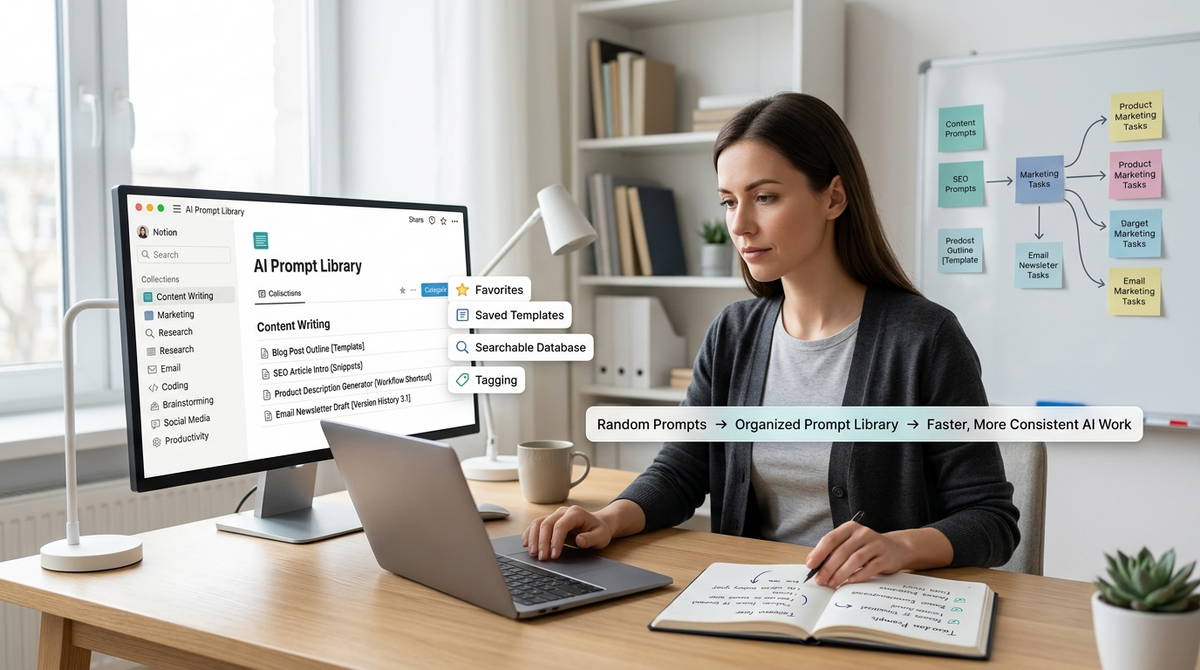
Notion works well for people who already live in it for other work. Its database views let you tag prompts by task type, tool, and client, then filter down in seconds. The trade-off is setup time. A database with proper tags takes longer to build than a plain list. It can also turn into its own procrastination project if the tagging structure gets too elaborate.
Google Sheets or Airtable suits people who think in rows and columns anyway. Use one column for the task category, one for the prompt template, and one for notes on what worked. It’s less polished than Notion but faster to search and easier to duplicate across a small team. For prompts you use daily rather than occasionally, skip the separate app entirely. TextExpander or Raycast snippets insert a saved prompt with a short keyboard shortcut. The limitation is organizational, not functional. These tools optimize for speed, not structure. They work best as a five-prompt shortlist that sits on top of a fuller library you keep somewhere else.
What ChatGPT and Claude actually offer
It’s worth being precise here, since a lot of guides overstate what these tools do natively. As of mid-2026, ChatGPT still has no built-in prompt library. Custom Instructions gives you a single global directive that applies to every conversation, not a searchable set of dozens of named prompts. That gap is exactly why a market of browser extensions has grown up around ChatGPT. They add saved-prompt palettes and variable fields directly into the composer.
Claude Projects come closer to a real system. They let you attach persistent instructions and a knowledge base of reference files to a specific workspace. Even so, it’s still one instruction set per project, not a switchboard of individual prompts you pick from on demand.
Most people end up with a hybrid. A handful of daily prompts live in a snippet tool, and the fuller set sits in Notion or a spreadsheet. That’s not a failure to commit to one system. It reflects how differently people actually use those prompts.
Whichever tool you choose, resist the urge to over-tag. A library with fifteen categories for a dozen prompts is harder to navigate than a plain list. You end up spending more time deciding where something belongs than you would spend just writing it fresh. Three to five broad categories that match how you actually think about your work are usually enough.
The Iteration Math
The real value of a prompt library isn’t the time saved typing. It’s the reduction in iteration cycles.
A well-built template tends to produce usable output on the first or second try, because the constraints, tone, and format are already baked in from prior refinement. A prompt written from scratch under time pressure often takes three or four rounds of back-and-forth to reach the same place. Multiply that gap across dozens of tasks a week, and the savings show up less as time not spent typing, more as output not spent re-editing.
For freelancers building client work around AI freelance tools, this maps directly onto billable hours: fewer iteration cycles per deliverable means more capacity for additional work without adding hours to the day. For anyone making money with AI tools rather than just saving personal time, that iteration gap is close to the whole game. A consultant who can turn a call recording into a polished summary in one pass, instead of three rounds of prompting, has effectively expanded billable capacity without hiring anyone.
None of this fixes a workflow that’s disorganized for reasons that have nothing to do with AI. If the real bottleneck is unclear client briefs or inconsistent brand guidelines, a sharper prompt library just produces better-formatted confusion, faster.
There’s a ceiling on what a prompt library can automate, too. It speeds up the writing and drafting layer of a task, but it doesn’t replace the judgment calls before and after it: deciding what a client actually needs, or checking that the output is accurate before it goes out. Treating the library as a shortcut to better decisions, rather than just faster drafts, is where the disappointment usually starts.
The Minimum Viable Version
Building a prompt library that survives past week one doesn’t require a big system. It requires three small decisions, made in order:
- Track for one week before organizing anything. Write down every AI task you repeat, even loosely.
- Turn only the true repeats into templates, using placeholders for the parts that change each time.
- Pick one storage tool you already open daily, and resist the urge to build a more elaborate system before the simple one has been tested.
This works whether you’re an AI beginner setting up a system for the first time or a daily power user refining one that’s already a year old.
Expect to revise the library within the first month regardless. Templates that seemed solid on day one often need adjusting once applied to five or six real tasks instead of the one you had in mind when you wrote them. That’s not a sign the system failed. It’s the system working as intended.
Models update, too, and prompt behavior shifts with them. A template that produced consistent output six months ago may need retuning after a model update changes how instructions get interpreted, a reasonable trade-off for a field that moves this fast. Treat the library as a living document that needs occasional maintenance, not a one-time build you finish and forget.
Learn more about Prompt Engineering in 2026: Is It Still a Skill Worth Learning?, 10 Business Tasks You Can Automate with AI This Week, & The Prompt Engineering Playbook: Turn Vague AI Requests into Precise, Profitable Outputs