

Instagram’s Reels algorithm rewards watch time, saves, and shares over raw view counts. That single fact quietly disqualifies a lot of AI video tools that look impressive in a demo. A tool can produce smooth, professional-looking footage and still fail at the decisions Reels actually reward. A hook needs to survive the first two seconds. Framing needs to work in vertical. Captions need to carry the video with the sound off. That’s the real gap between general AI video tools and the best AI tools for Instagram Reels specifically. Closing it starts with knowing which of three categories you actually need: editor, generator, or clipper.
Why Reels Need a Different Kind of AI Tool
Most AI video platforms weren’t built with Reels in mind. They were built for YouTube, for general marketing video, or for whatever format seemed biggest at the time. Reels have their own constraints: vertical 9:16 framing, short attention windows, and captions that carry meaning without sound. Instagram has also extended the length ceiling to three minutes, but shorter, tighter edits still perform better in practice. A tool that ignores these constraints will still export a video. It just won’t be one built for how people watch Reels.
Two more constraints get missed just as often. Reels built around trending audio get measurably better distribution — the algorithm favors sounds it’s already pushing, and most AI tools stop at letting you upload a track rather than surfacing which ones are live right now. Cover frame matters before anyone presses play at all. A Reel lives in the profile grid before it lives in the feed, and a flat or blurry frame can cap plays before the algorithm gets a chance to reward anything else about it. Neither shows up in a demo. Both show up in the numbers a week later.
Instagram has started building AI directly into its own app, Edits. It’s free and connects to your account for direct publishing. It also reports performance data tied to what you actually posted, not a generic engagement estimate. That’s a real advantage if your content lives almost entirely on Instagram. It removes the export-import-upload cycle that eats time across dozens of Reels a month. The trade-off shows up the moment you cross-post. Edits ties its editing and analytics to Instagram specifically. Creators who repurpose the same Reel to TikTok or YouTube Shorts need a platform-agnostic editor somewhere in the workflow.
The Three Starting Points That Determine Which Tool You Need
Before comparing individual tools, it helps to identify where your content starts. That single variable decides which of the three categories, editor, generator, or clipper, will save you time. Budget and brand preference matter less than this.
If You’re Filming Your Own Footage: The Editor Path
CapCut is still the default choice for creators who film first and edit later. Its feature set has simply kept pace. Automatic captions, smart cropping for vertical format, long-to-short conversion, and trend-aware templates are all built into the free tier. That covers most solo-creator needs on its own. The Pro tier costs about $10 a month. It adds effects and asset libraries. Those matter more to brand accounts posting several times a week than to solo creators posting occasionally.
Edits, covered above, fits the same footage-first category with one meaningful difference: it doesn’t generate anything for you. It assists an edit you’re already making rather than producing one on its own. That’s exactly why it pairs well with AI-generated B-roll or voiceover sourced from elsewhere in the stack.
A lighter-weight option exists for anyone who only needs the captioning piece solved. A lighter-weight option exists for anyone who only needs the captioning piece solved. Auto-caption tools built specifically for that job, like Submagic and Captions, skip the rest of the editing suite entirely. That’s a reasonable trade when footage is already cut and the only remaining job is fast, stylized captions without learning a full editor.
If You’re Repurposing Long-Form Content: The Clipper Path
Opus Clip exists for a single job. It turns long recordings, podcasts, webinars, interviews, into short clips worth posting on their own. It scans the source and identifies segments likely to work as standalone Reels. Then it adds captions, reformats to vertical, and scores each clip for its odds of performing. The catch is built into the category. Opus Clip has nothing to offer without long-form material to draw from. Creators sometimes expect it to rescue footage that never had a strong moment in it to begin with. It can find the best five minutes in a mediocre recording. It can’t manufacture a good one out of a flat conversation.
Opus Clip: Free tier available (60 processing minutes/month, watermarked); paid plans start around $15/month, unlocking watermark-free exports.
Descript covers a different part of the same repurposing workflow. Editing by transcript is faster for talking-head content than scrubbing a timeline. Its audio cleanup tools also handle recordings made without a proper microphone. Freelancers and consultants turning client interviews or expert commentary into Reels tend to see the biggest time savings here. Transcript editing simply scales better across a batch of similar clips than timeline editing does.
Descript: Free tier covers about 60 minutes of media a month; paid plans start around $16/month, moving to $24/month for the full production toolkit.
If You’re Starting From a Script or an Idea: The Generator Path
Generating a Reel from a script or a rough idea is its own category. It’s the right starting point for faceless accounts and brand pages without a consistent on-camera presence. It also works well for anyone testing a content angle before committing real production time to it. InVideo AI takes a written idea and writes a script from it. It sources matching stock footage and adds AI voiceover and captions. The result is a finished draft in a few minutes. The output is more visually coherent than earlier tools, thanks to integration with current generative video models. It can still read as stock footage, though, to an audience scrolling past dozens of similar-looking clips a day. That’s not really a flaw so much as a ceiling. Generated B-roll is a solid starting point for testing a script. It’s less reliable as a finished brand asset.
InVideo AI: Free tier available with limited exports; the Creator plan runs about $25/month.
HeyGen takes a different approach to the same starting point. Instead of stock visuals, it builds photorealistic AI avatars that lip-sync to any script. It even supports multiple languages through voice cloning. That’s a useful shortcut to a consistent on-screen presenter without hiring on-camera talent. Pricing puts it out of reach for most solo creators. It’s priced for brands and agencies running video at scale, with an Essential plan closer to $100 a month.
ElevenLabs solves a narrower piece of the same workflow. It offers natural AI voiceover with adjustable tone and pacing. That works well for narrative or educational Reels that don’t need a face at all.
ElevenLabs: Free tier covers roughly 10 minutes of audio a month; paid tiers scale up by usage from there.
Runway sits at the more ambitious end of this path. It’s built for creators after distinctive, stylized visuals rather than usable stock footage, motion brush and style transfer give it a ceiling InVideo AI and HeyGen don’t reach. That control comes with a real learning curve, closer to a creative tool than a production shortcut. It fits a brand investing in a visual identity better than a creator who needs five Reels out the door by Friday. Pricing runs in line with other premium generators, worth checking directly given how often its tiers shift.
Runway: Free tier available; paid tiers start at $12/month.
Fliki covers similar ground to InVideo AI at a lower entry point, script in, stock-footage video with AI voiceover out, starting around $8/month. It’s a reasonable way to test whether the faceless format works for an account at all before committing to a pricier generator once the format’s proven out.
Canva is the outlier in this group because it isn’t optimizing for originality. Its AI reel generator pulls from a brand’s existing colors, fonts, and templates. That makes it the easiest entry point for small business owners already using Canva for everything else. The trade-off is recognizability: regular Instagram users can often spot a Canva-made Reel from its template style alone. That matters less for internal or low-stakes content. It matters more for any brand trying to stand out visually in a crowded niche.
Canva (reel generator): Canva’s free plan covers basic reel generation; Pro runs about $18/month (roughly $12/month billed annually) for the full Magic Studio suite.
The Category Mistake That Wastes the Most Time
Most of the disappointment creators report with AI reel tools has nothing to do with output quality. It comes down to category mismatch. Editors like CapCut and Edits make you faster at assembling footage you already have. They won’t generate a Reel from nothing. Generators like InVideo AI and HeyGen build a finished Reel from a script or prompt. They won’t speed up cutting raw footage you already filmed. Clippers like Opus Clip repurpose long recordings into short ones. Without source material, they have nothing to work with.
Buy an editor when the job needed a generator, or the reverse, and the complaint is always the same. The tool feels limited, slow, or not as smart as advertised. It usually isn’t underpowered. It’s mismatched. This trips up AI beginners more than anyone. Part of the reason is that marketing for most of these platforms blurs the distinction on purpose. Nearly everything gets labeled “AI-powered” without saying which part of the production process it actually replaces.
Build a Stack Instead of Searching for One Winner
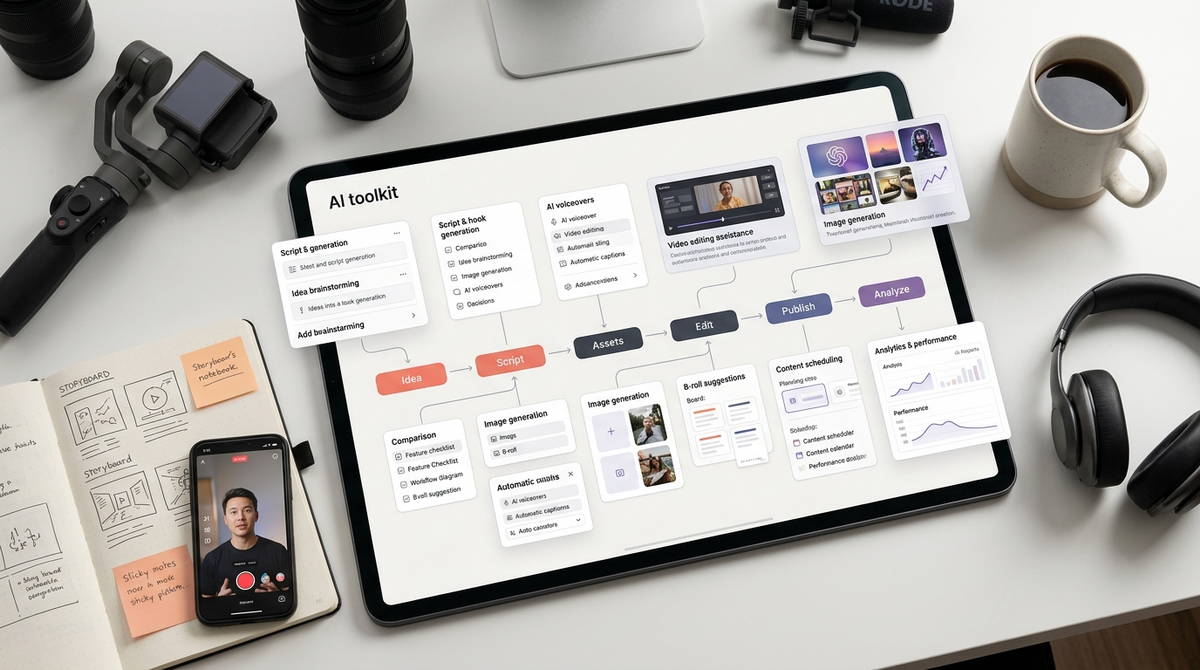
None of the tools covered so far are built to run the entire production process alone. Treating the search for one winning tool as a single decision usually backfires. Combining two or three tools built for different stages tends to work better. A realistic stack looks like this:
- A script or idea
- Footage or visuals from a camera or a generator
- Editing and captioning in CapCut or Descript
- Audio cleanup through ElevenLabs, if the voiceover needs it
- Scheduling through something like Predis.ai
Predis.ai also runs competitor analysis and caption writing, useful for accounts juggling more than one content pillar at once. Predis.ai has a Free tier available with paid plans start around $32/month for the entry tier.
The same logic applies outside video production. Freelancers and small teams already lean on AI productivity tools and AI freelance tools for scheduling, writing, and client communication. Adding a Reels-specific stack is less a new system and more an extension of one that already exists. For a social media manager running several client accounts, automation at the scheduling and reporting layer usually matters most. Automation at the editing layer matters less by comparison. Reporting is what clients actually see.
What These Tools Still Won’t Do
Generative reel tools have gotten better at avoiding the obviously synthetic look. Audiences who scroll Reels all day can usually still tell filmed from generated, though. That gap costs more on a platform built around authenticity than it would in a display ad. Free tiers on generator tools typically watermark their output. A clean export means a paid plan, often before you know whether the results are even worth posting.
Cost also scales unevenly. A solo creator can run CapCut and Descript for close to nothing. An agency layering HeyGen’s avatar features, InVideo’s generative tiers, and Predis.ai’s scheduling dashboard faces a very different monthly figure. That’s especially true once several client accounts are running through the same stack. That cost is worth weighing against what the Reels are actually supposed to produce. Brand awareness, lead generation, and direct income from content services all justify different budgets. None of this guarantees reach, though. These tools compress production time, not audience response. No editing or generation feature replaces a hook strong enough to survive the first two seconds.
Where to Start, Based on What You’re Producing
A solo creator filming their own content is usually covered by CapCut paired with Instagram’s native Edits app. Neither one costs anything. Anyone repurposing podcasts, webinars, or long-form video should learn Opus Clip before touching anything else on this list. It solves the highest-friction part of that specific workflow. Faceless accounts and brand pages without consistent on-camera talent get the most value from InVideo AI or HeyGen. Which one depends on whether the priority is speed or a consistent presenter.
Building Reels as a client service is an increasingly common way to make money with AI tools. It usually happens inside a broader marketing offering, and that changes the calculation slightly. Freelancers and consultants doing this tend to benefit from pairing a generator or editor with Predis.ai’s scheduling and competitor research. Client work usually comes with a reporting requirement that solo creators can skip. Whatever combination fits, the practical move is the same. Test one tool per category. Confirm it actually cuts production time on real content, not just a demo. Only add the next layer once that’s proven out.
The Reels tool landscape will keep shifting as Instagram expands its own AI features and competitors race to keep pace. The decision underneath it doesn’t change, though. The right AI tool for Instagram Reels is the one that matches where your content starts. It’s not whichever platform happens to have the flashiest demo.
Read more about How to Create Instagram Content With AI Tools: Step-by-Step Workflow, How to Build a Faceless Instagram Account with AI in 2026 & Best AI Tools for Instagram Content Creation