
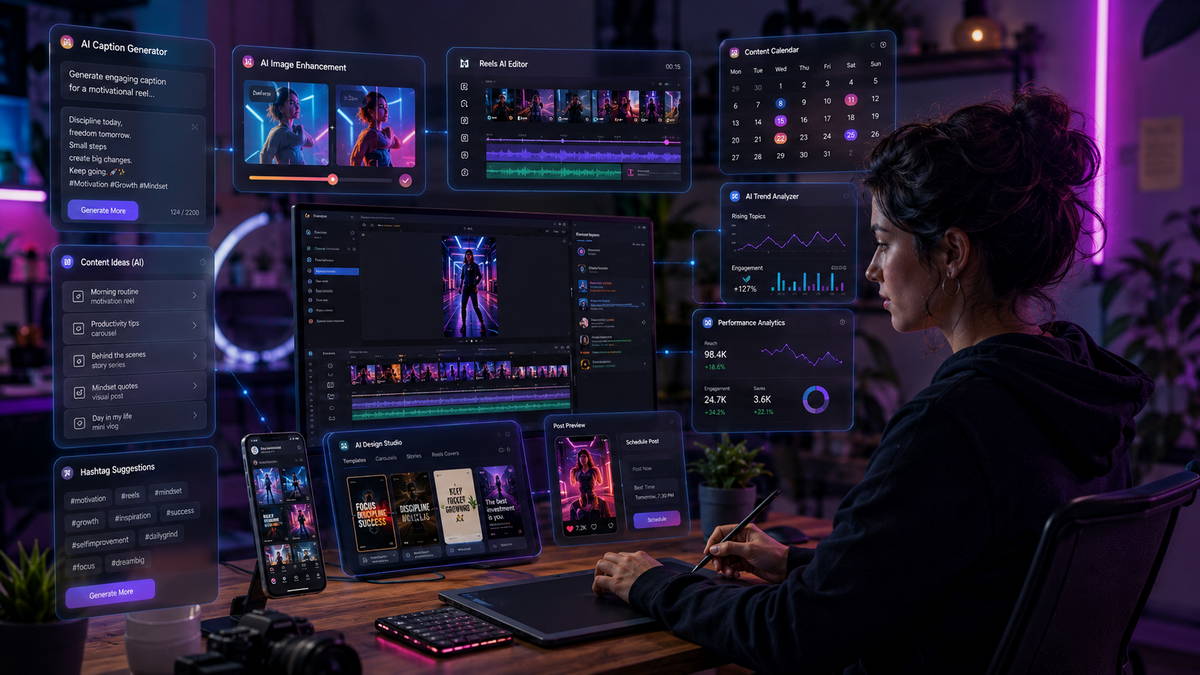

The scroll never stops, and the production pressure behind every post is something only creators and social media managers actually feel. Building a consistent Instagram presence (one that doesn’t look rushed or recycled) used to require either a team or an unhealthy relationship with weekends.
AI tools have changed that math. Not by removing the creative work, but by compressing the mechanical parts of it down to almost nothing. The gap between a solo freelancer and a small content agency is narrower than it’s ever been. The tools are the reason.
This breakdown covers what’s actually worth using in 2026, ranked by what you’re trying to produce, with honest notes on where each one breaks down.
Setting the Scope: What AI Has Actually Solved (And What It Hasn’t)
Generative AI has become genuinely capable at three things relevant to Instagram: producing usable visual starting points, drafting written content that hits the right format, and automating the distribution logic that used to require manual attention every day.
What it hasn’t cracked is the judgment layer: knowing which visual direction fits a specific audience, recognizing when a caption sounds off-brand, or deciding that a particular news cycle makes a scheduled post tone-deaf. Those calls still belong to whoever understands the account.
The mistake most people make isn’t choosing the wrong tools. It’s expecting the tools to carry the strategy.
AI Tools for Visuals: Images, Carousels, and Reels Thumbnails
Canva AI: The Production Workhorse
Canva’s advantage has never been its AI output quality. It’s the fact that every AI feature (Magic Design, text-to-image, background generation, Magic Write) lives inside the same canvas where the final post gets built. There’s no export-and-import friction, no file format mismatch.
For Instagram specifically: carousel posts are where Canva AI earns its subscription cost. You can generate a background texture, apply a brand kit, write slide copy with Magic Write, and export a 10-slide carousel inside one tool in roughly fifteen minutes. At that production speed, volume stops being a bottleneck.
The visual output is the known weakness. Canva AI images sit in a recognizable aesthetic band: clean, inoffensive, and interchangeable with a thousand other brand pages. If a client’s visual identity depends on distinctiveness, Canva AI gets you structure, not standout.
Who it suits: Freelancers running multiple accounts, small business owners doing their own content, and anyone building a high-volume Instagram operation where consistency matters more than visual ambition.
Adobe Firefly: The Commercial-Safe Choice
Most roundups mention Firefly and move on. The detail that matters gets skipped: Firefly is trained exclusively on licensed Adobe Stock imagery and public domain content. That distinction is not cosmetic.
For anyone producing Instagram content that ends up in paid ads (or for freelancers working with brand clients who have legal teams) the copyright exposure attached to other AI image generators is a real liability. Firefly eliminates that risk by design.
Its most practical feature for Instagram is generative fill. A product shot taken against a white wall becomes a lifestyle image, a seasonal scene, or a location-specific visual without a reshooting budget. One hero image becomes eight contextual variations. For e-commerce clients, this is a direct reduction in photography spend.
The trade-off is range. Firefly’s outputs are polished and consistent, but they operate within a relatively narrow aesthetic band. It produces brand-safe imagery well. It doesn’t produce surprising imagery.
Who it suits: Agency freelancers, anyone producing content for paid campaigns, brands with IP-conscious marketing teams.
Midjourney: High Ceiling, Steeper Investment
Midjourney sits at a different tier from either of the above, and the difference is visible in the output. Fashion content, travel aesthetics, editorial food photography, cinematic mood boards: Midjourney handles the creative registers that other generators flatten.
The trade-offs are structural, not just superficial. It runs through Discord, which adds workflow steps and creates an awkward handoff when you’re managing client access. Prompting Midjourney effectively takes real investment; the gap between a beginner’s output and a skilled user’s output is wide enough to matter commercially.
There’s also an emerging business model worth noting for anyone building income around AI tools: faceless Instagram accounts using Midjourney as their visual backbone have become a legitimate content category. Niche aesthetics, consistent style presets, and strong caption strategy. That combination has built real audiences with no creator identity attached. The entry cost is learning the tool deeply enough to develop a recognizable visual style with it.
Who it suits: Creators with time to develop prompting skills, niche content builders, freelancers offering premium visual content to clients who can tell the difference.
AI Tools for Reels and Short-Form Video
CapCut AI: The Default, and Not Just Because It’s Free
Reels are where Instagram’s algorithm puts its weight in 2026, and CapCut AI has become the default entry point for a reason that has nothing to do with sophistication: it removes the two steps that make video editing feel like a separate skill. Auto-captioning and background removal are one tap each, and the trending-template library means a Reel can go from raw clip to publish-ready in minutes rather than an editing session.
The ceiling is the honest limitation. CapCut produces competent, on-trend Reels, not distinctive ones. For an account posting five times a week where consistency matters more than any single piece of video craft, that trade-off makes sense. For a brand trying to build a recognizable visual identity in video the way Canva struggles to in static images, it’s the same ceiling problem in a different format.
Who it suits: Freelancers and solo creators who need Reels output at volume, accounts where posting frequency is the current bottleneck, anyone starting from zero video-editing experience.
OpusClip: Turning What You Already Made Into What Instagram Wants
OpusClip solves a specific, recurring problem: long-form content (a podcast episode, a YouTube video, a webinar recording) sitting unused because clipping it into Reels manually takes longer than most creators are willing to spend. Feed it the source file, and it identifies the moments most likely to work as standalone clips, adds captions, and reframes the aspect ratio automatically.
The tool is only as good as its source. A flat, unstructured recording gives OpusClip little to identify as a “moment” — the same limitation Lately AI has with long-form text. Where it earns its subscription is with creators who are already producing long-form content elsewhere and have been sitting on a backlog of clippable material without the time to touch it.
Who it suits: Podcasters, coaches, and consultants repurposing existing long-form content into Instagram’s short-form format without a dedicated video editor.
Runway and Zebracat: When the Clip Doesn’t Exist Yet
Both tools solve a different problem than CapCut or OpusClip: generating video from a prompt or a script rather than editing footage that already exists. Zebracat leans toward fast, templated output — a script in, a captioned short-form video out, minimal manual work. Runway sits at a higher ceiling, with tools like motion brush and style transfer that give more creative control at the cost of a steeper learning curve.
Neither replaces a camera for accounts built on personal presence. Where they earn their place is faceless or product-driven content: brand accounts, explainer series, or the growing category of AI-managed niche pages where no one is ever on camera.
Who it suits: Faceless account operators, e-commerce brands needing product video without a shoot, creators experimenting with formats that don’t depend on filmed footage.
AI Tools for Captions and Written Content
ChatGPT and Claude: Used Wrong by Almost Everyone
The standard approach is to prompt an LLM with “write me an Instagram caption for [product]” and accept whatever comes back. The output is grammatically fine, structurally conventional, and unlikely to stop anyone mid-scroll.
The more productive framing treats these tools as a drafting environment, not a ghostwriter. Before asking for any caption, establish three things in the prompt: the audience’s specific situation, the single action the post should drive (saves, replies, or link clicks, not all three at once), and a reference example of the voice the account uses. The difference in output quality is not incremental. It’s categorical.
Where LLMs genuinely pull their weight is hook generation: that first line of a caption which determines whether someone taps “more” or keeps scrolling. Generate ten variations, discard eight, use one, and finish the caption yourself. That workflow is faster than writing from scratch and produces better hooks than most people write unaided.
Lately AI: For Creators Who Publish Long-Form
Lately is narrow in scope and good at what it does. Feed it a podcast transcript, a long article, or a YouTube video, and it extracts the sections most likely to work as social content, formatted for the platform you’re targeting.
For Instagram carousels, a 2,000-word article can become a structured 10-slide post with surprisingly little cleanup. The important caveat: Lately surfaces what’s already strong in the source material. If the original content is thin or poorly structured, Lately won’t compensate. It’s an extraction tool, not an editing one.
Who it suits: Thought leaders, consultants, coaches, and podcasters who produce consistent long-form content and need a faster route to Instagram distribution.
Automation: Where the Real Productivity Gain Lives
AI Tools for DM and Comment Automation
Content gets the attention in most breakdowns of this space, but the operational bottleneck on a growing account usually isn’t production — it’s the inbox. An account posting consistently and gaining traction generates a volume of comments and DMs that becomes unmanageable manually well before it becomes unmanageable creatively. This is where AI agent tools, not content generators, do the heavy lifting.
Manychat: The Established Layer
Manychat remains the most widely adopted tool for this specifically because it treats DM automation as a funnel, not just a reply system. Comment-to-DM triggers (someone comments a keyword, they receive an automated DM with a link or offer) turn engagement into a measurable pipeline rather than a one-off interaction. The setup requires some thought about flow logic upfront, but nothing that demands technical skill.
Who it suits: Accounts running lead generation or sales through Instagram, creators who want structured funnels rather than open-ended AI conversation.
AI Agent Tools (Inrō, similar platforms): Conversation Over Flowcharts
A newer category of tool handles DMs and comments through genuine intent detection rather than keyword-triggered flows — reading what someone’s actually asking, responding in the account’s voice, and only routing to a human when the conversation needs judgment a bot shouldn’t apply. For accounts fielding real questions at volume (pricing, availability, product details), this closes gaps that rigid flowcharts can’t.
The trade-off is the same one that shows up everywhere else in this list: more capability requires more setup time to get the voice and guardrails right, and it works best layered on top of a content and scheduling stack that’s already stable, not as a first tool.
Who it suits: Accounts with high DM/comment volume relative to team size, service-based businesses fielding repetitive questions, anyone losing leads to slow response time rather than a lack of content.
Buffer and Metricool: Scheduling With Intelligence
These aren’t AI generators. They belong in a separate category: AI productivity tools that manage the operational layer of an Instagram content operation.
AI-powered posting time recommendations, auto-scheduling across accounts, performance analytics that surface which content types are gaining traction. For a freelancer managing five to eight client accounts, these features shift scheduling from a daily task to a weekly one. That time doesn’t disappear; it moves to higher-value work.
Metricool has a slight edge for multi-account management and more granular analytics. Buffer remains the cleaner tool for straightforward scheduling workflows.
Make: The Automation Layer Most People Don’t Reach
Make is where an AI-assisted content operation becomes genuinely scalable, and it’s also the part of this stack that separates the freelancers billing $800/month per client from those billing $3,500.
A working example: a new product gets added to a client’s Shopify store. Make detects the update, triggers a ChatGPT API call that writes three caption variants, sends an image prompt to an image generation API, receives the output, and drops the full draft (image and copy) into the client’s scheduling queue for review. The client sees a ready-to-approve post. The freelancer spent no active time on it.
The workflow isn’t difficult to build. Make’s visual interface is genuinely learnable without coding experience. What takes time is designing the logic: mapping the right triggers, building fallbacks, and testing edge cases. That investment, made once, runs indefinitely.
Quick Reference: Tool by Use Case
| What You’re Trying to Do | Tool to Use |
|---|---|
| Fast branded carousels at volume | Canva AI |
| Commercial-safe images for client or ad work | Adobe Firefly |
| High-quality editorial or niche aesthetic visuals | Midjourney |
| Reels and Short-Form Video | CapCut / OpusClip |
| DM and Comment Automation | Manychat |
| Caption drafts, hook generation, copy variations | ChatGPT / Claude |
| Repurposing podcasts, articles, video into Instagram | Lately AI |
| Scheduling across multiple accounts intelligently | Buffer / Metricool |
| Automating end-to-end content workflows | Make |
What Most People Get Wrong
The failure mode here isn’t choosing the wrong tools. It’s the assumption that output volume is a substitute for content strategy.
AI tools make it trivial to generate thirty Instagram posts in a session. The accounts that produce thirty posts and see no meaningful engagement aren’t being punished by the algorithm. They’re being accurately measured by it. Instagram surfaces content that generates saves and shares because those signals indicate that someone found the post worth returning to. Fast production doesn’t create that. Usefulness, specificity, and timing do.
The subtler mistake is voice fragmentation. An LLM generates text in whatever register the prompt implies (professional, casual, witty, authoritative) and switches between them without noticing. The accounts that use AI for captions effectively have done invisible work: they’ve built a detailed voice brief, tested it, refined it, and applied it consistently enough that the AI output sounds like one person wrote it. That consistency compounds. An account with a recognizable voice earns the kind of follow that comes from trust, not curiosity.
The Angle Most Tutorials Don’t Cover
There’s a positioning opportunity in this stack that goes largely undiscussed: clients don’t want AI tools. They want the deliverable.
Most business owners, coaches, and e-commerce brands don’t have the appetite or the time to learn Midjourney, build Make automations, and manage a scheduling platform. They have content needs and a budget. A freelancer who can package this stack into a clean monthly deliverable (consistent posts, on-brand visuals, strong hooks, pre-scheduled) is offering something structurally different from a freelancer who “does social media.”
The AI tools become margin, not output. The service looks like content management. The operational reality is that you’re running a small automated content system. How much you disclose about your methods is a business decision, but the pricing should reflect what you’re delivering, not how long it took to produce it.
A Note on Saturation
Instagram’s feed is filling with AI-generated content, and audiences are developing a calibration for it without necessarily being able to name it. The tells are accumulating: a certain uncanny smoothness in generated faces, a sameness in lifestyle imagery, captions that are structured correctly but feel like they were written for an archetype rather than a person.
The accounts that will hold attention over a three-year horizon aren’t the ones that leaned hardest into AI generation. They’re the ones that used it selectively: reducing friction on the mechanical work while keeping the actual creative decisions human. That’s a harder balance to strike than “use AI” or “don’t use AI,” which is probably why it doesn’t get covered much.
Where to Start
The stack above is not a prescription to use all seven tools simultaneously. Two or three, integrated well, will outperform seven used loosely.
If you’re a freelancer building a content service: start with Canva AI or Midjourney for visuals, an LLM for copy, and one scheduling tool. When that workflow is stable and you’re running it without thinking about it, add Make to automate the steps that still require manual handoffs.
If you’re a creator building your own brand page: the same logic applies, compressed. One strong visual tool. One writing tool with a solid voice brief. A scheduler that handles posting logic. That’s a full stack.
The complexity ceiling in this space is high. The question worth asking before adding any new tool is whether the bottleneck you’re solving is a real constraint on what you’re building, or just an interesting problem to work on instead of publishing.
Learn more about How to Build a Faceless Instagram Account with AI in 2026, How to Create How to Create Instagram Content With AI Tools, How to Create YouTube Scripts with AI & Generative AI